
Plan how much you use your apps.
A calm screen time app for iPhone. Give your apps a time budget, and keep to the plan you made.

Free on iPhone · No account
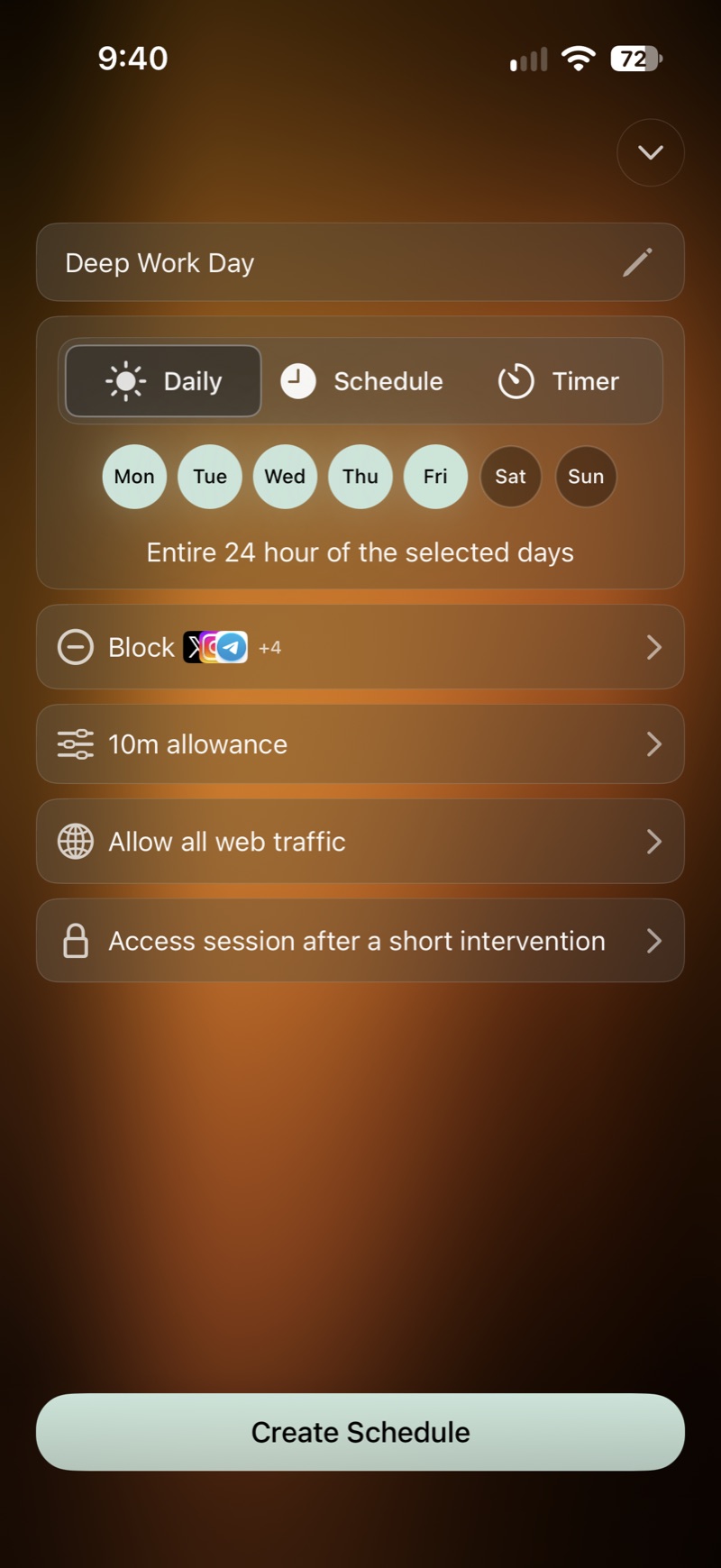
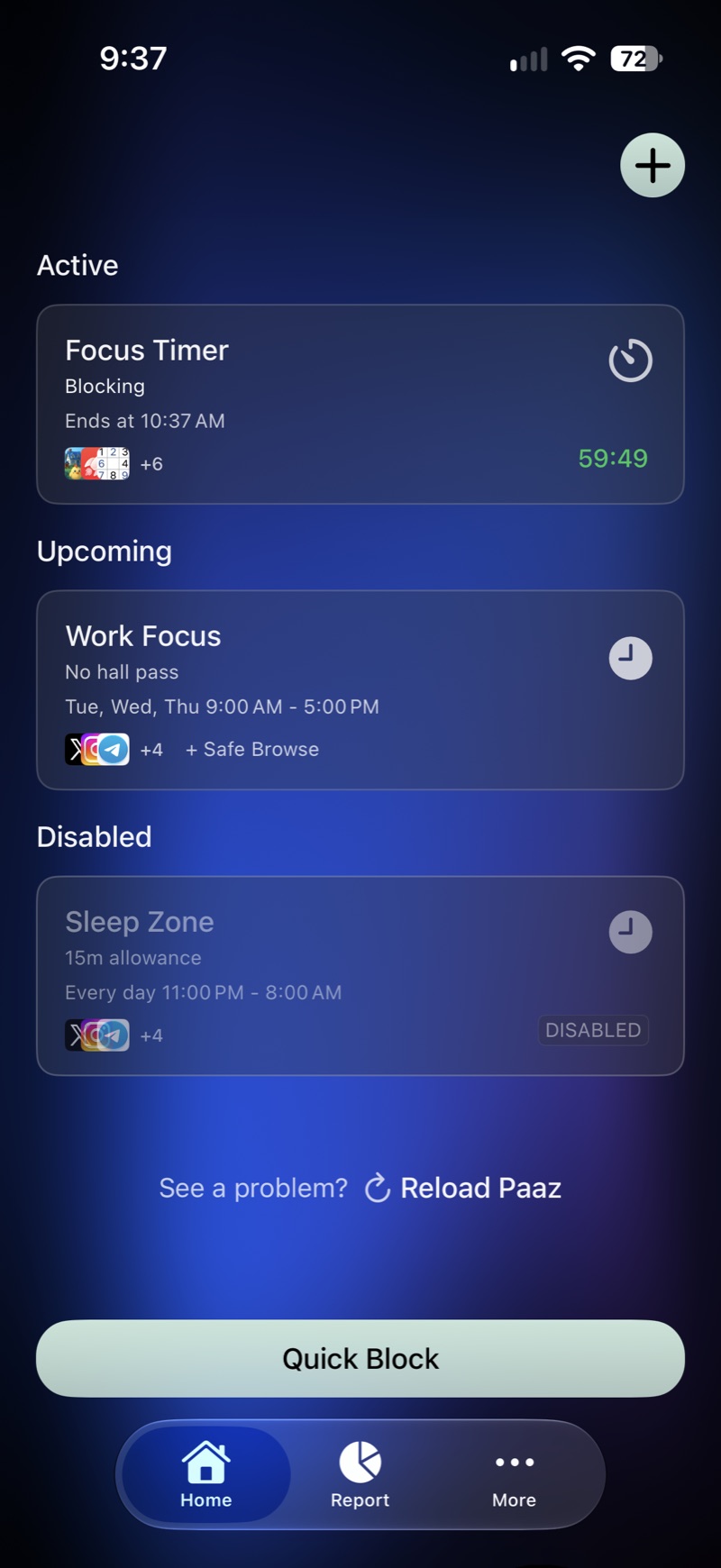
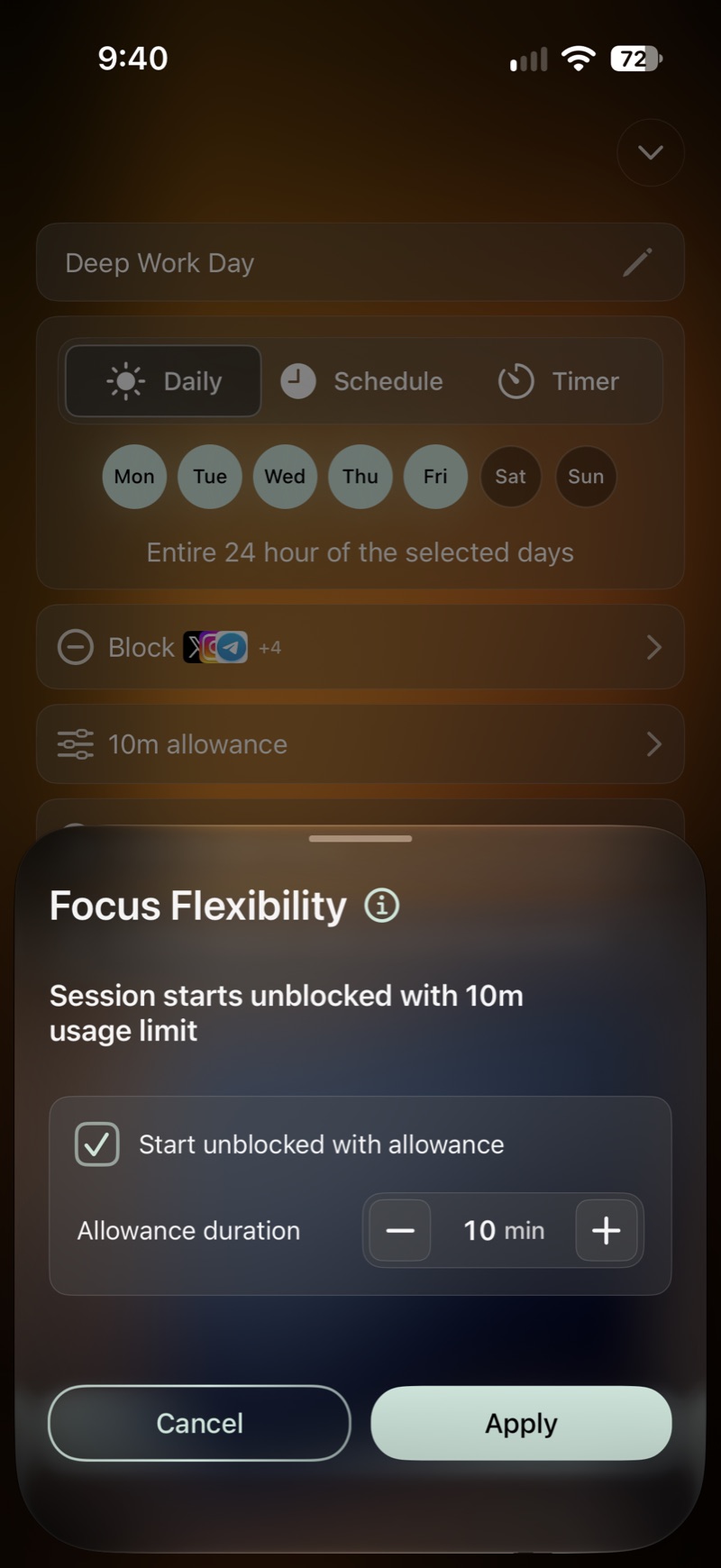
An allowance, not a cutoff.
Give a schedule a budget before anything is blocked, like ten minutes of Instagram. Stay inside it and nothing gets blocked at all.
- Daily All day, on the days you pick.
- Schedule Set hours that repeat, like 9 to 5 on weekdays.
- Timer A focus block that starts right now.
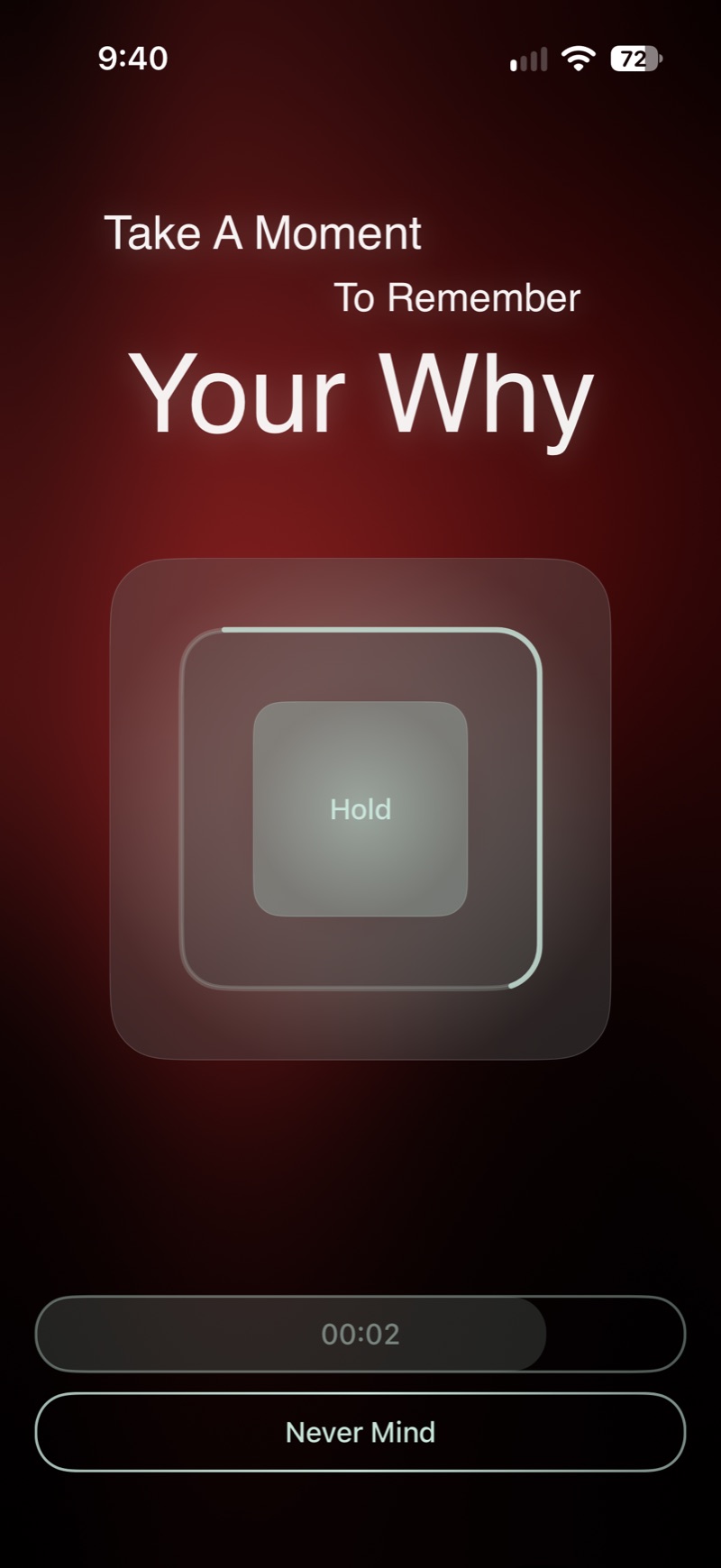
A moment before you open it.
You can set a session so that getting past it starts with a short pause. Paaz asks you to hold for a moment and remember why you set it up. Then it’s your call.
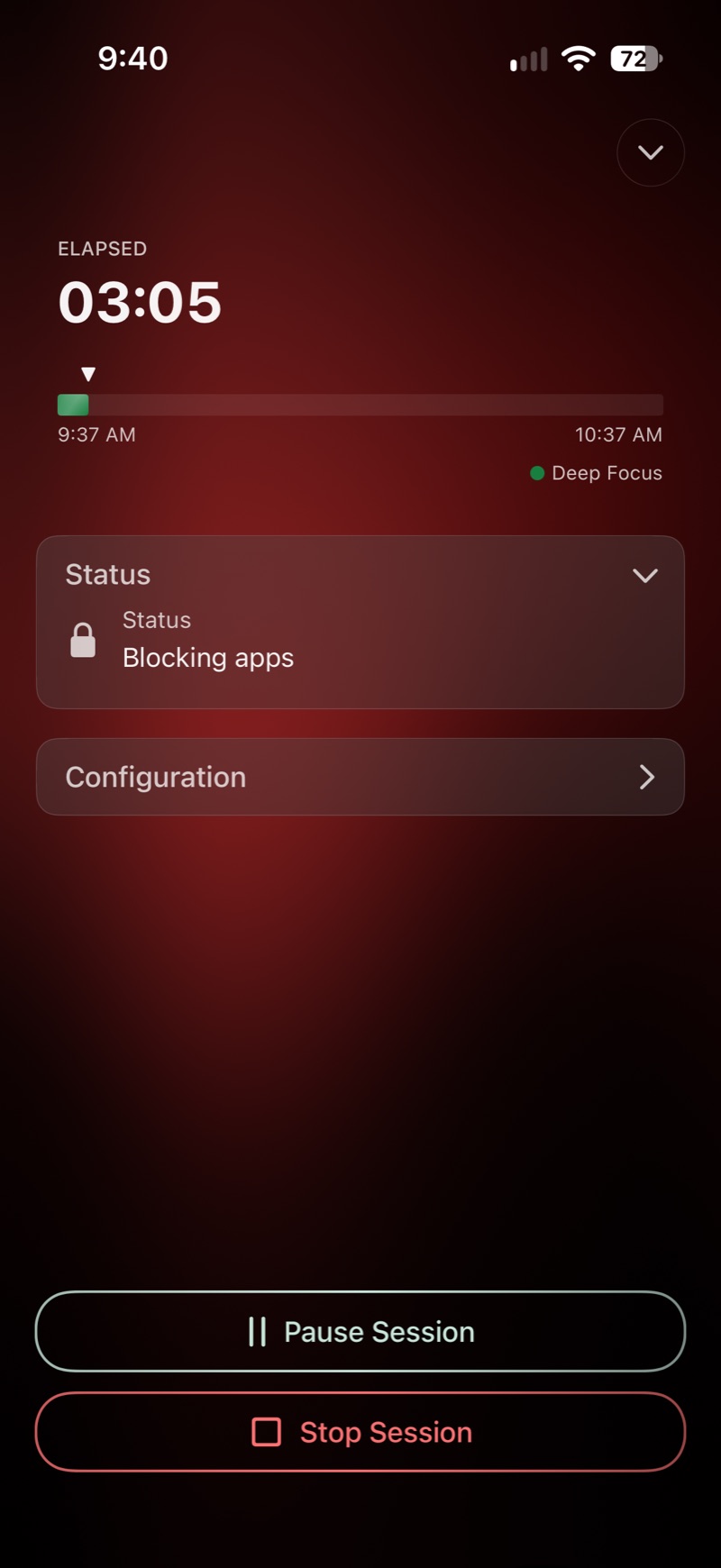
Sessions that hold.
Choose what a session blocks, and whether you can stop it early. Pause when you need to, stop when you mean it.
- Apps Block the apps you pick, or everything except the ones you need.
- Web Block specific sites, adult content, or all browsing in Safari.
- Lock Lock a session so it can’t be stopped early. An emergency code is always there if you truly need out.
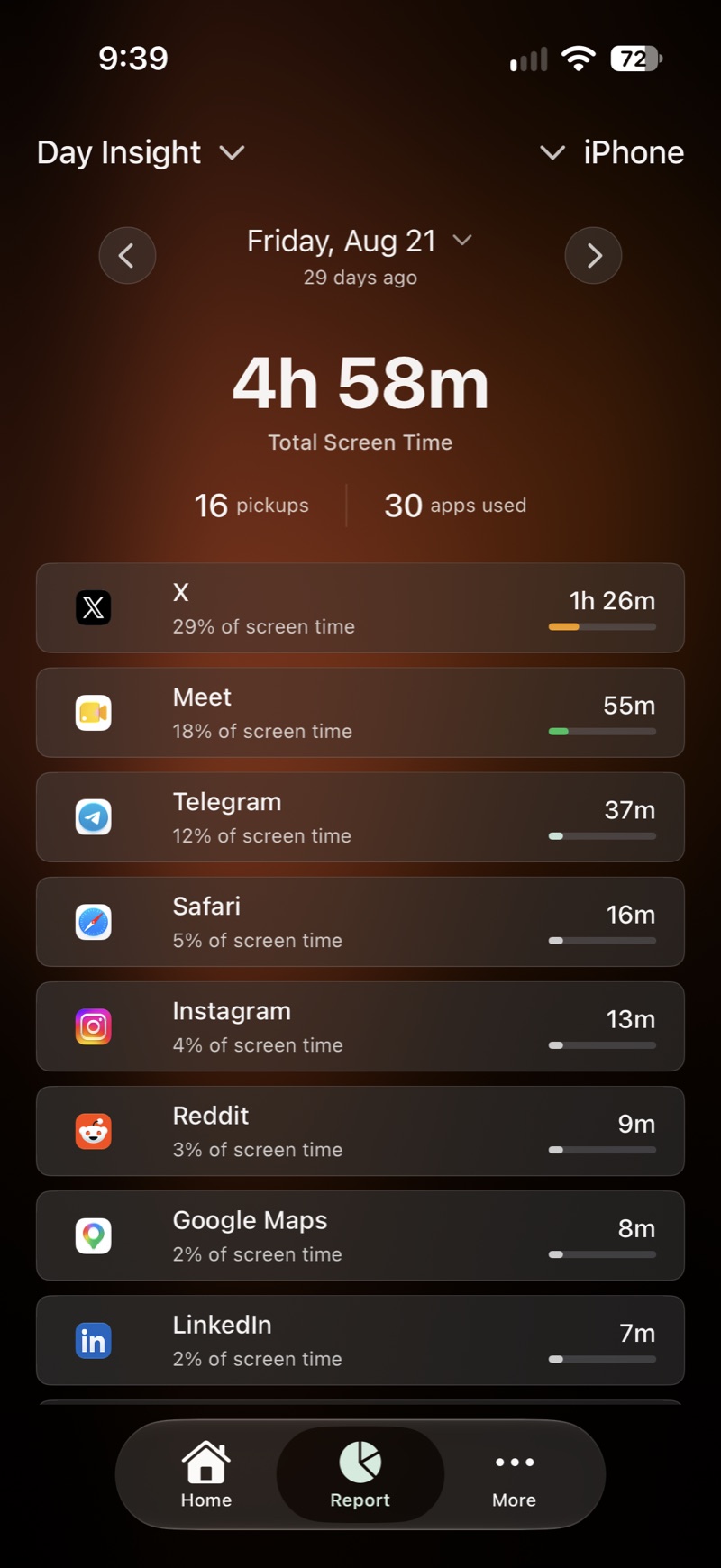
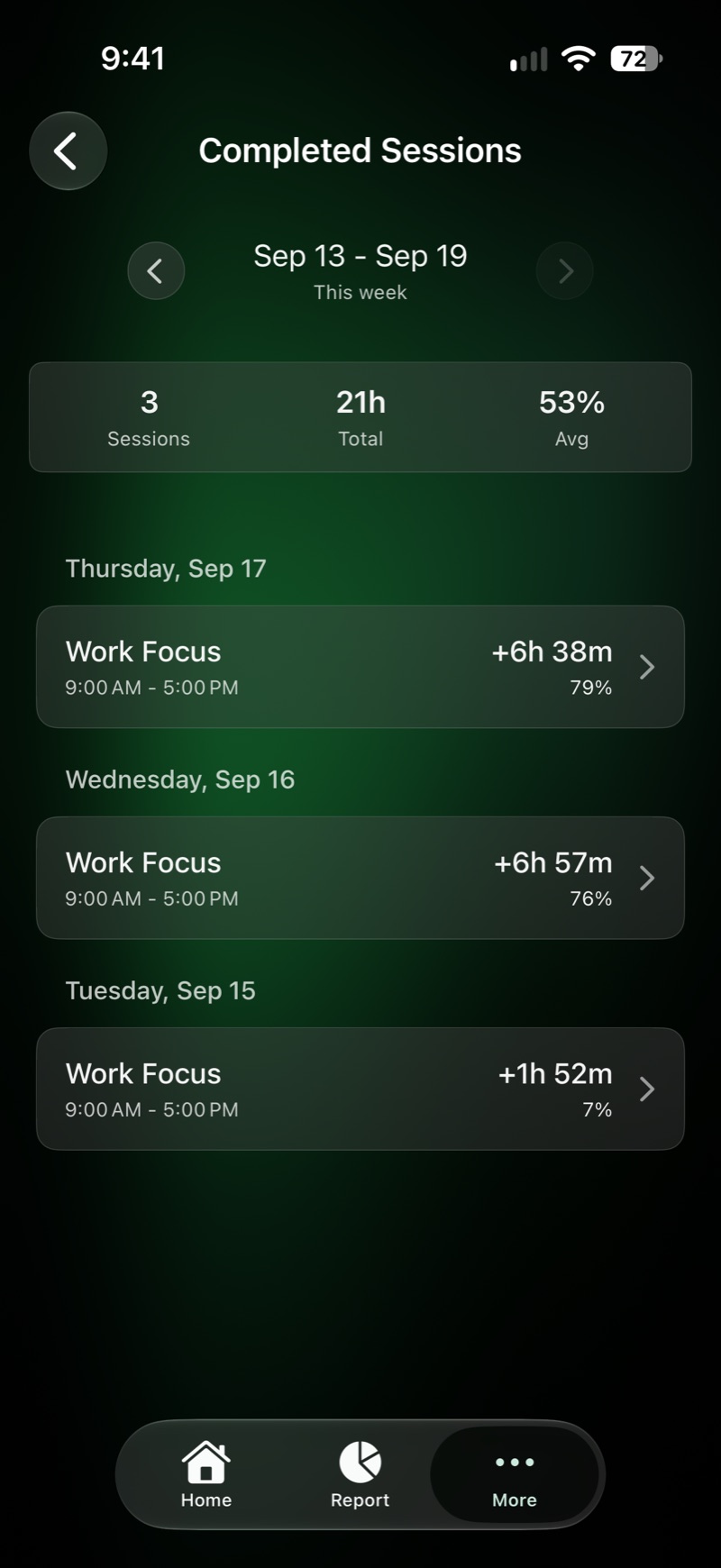
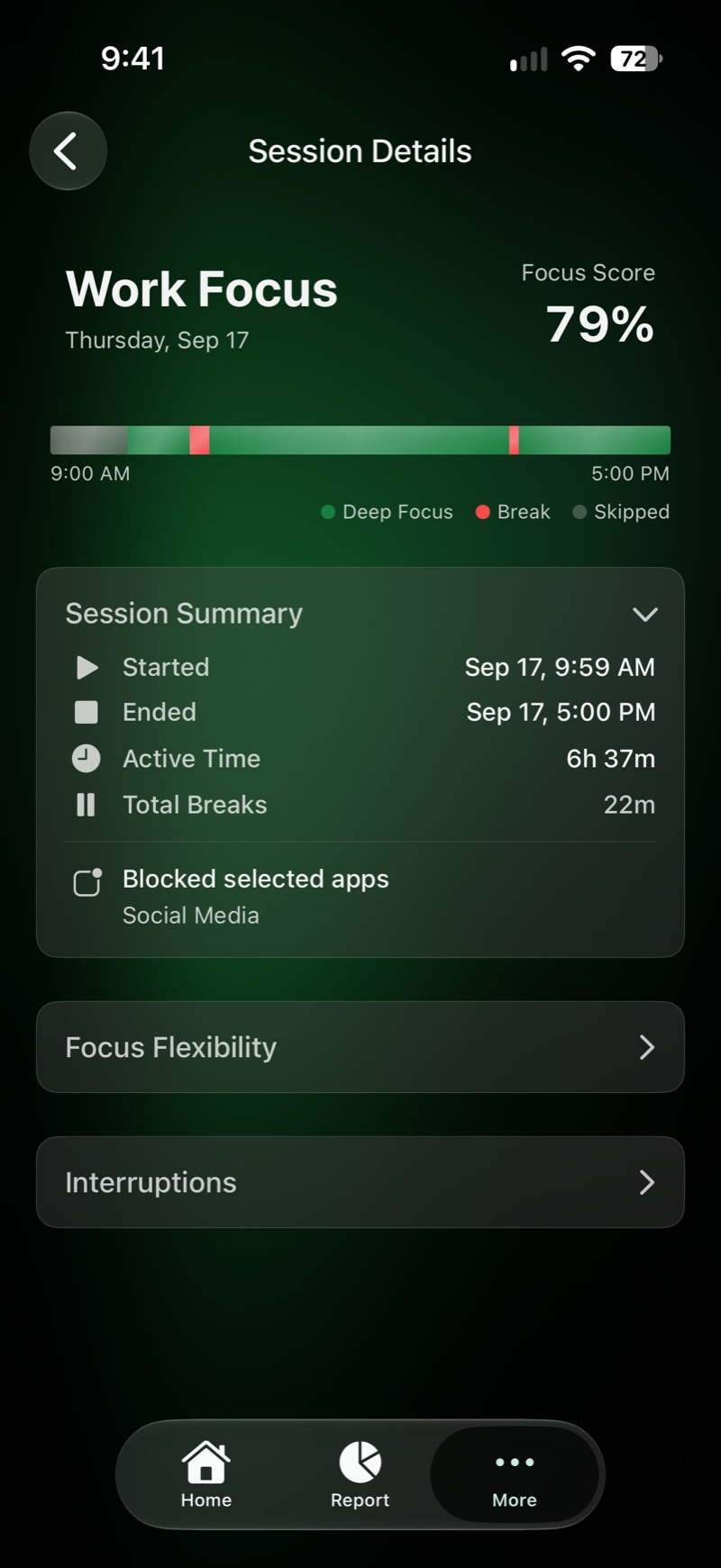
See how the day went.
Day Insight shows your screen time, how often you picked up your phone, and which apps took the time. Each finished session shows how much of it you kept, with breaks and interruptions on a timeline.
There are no streaks, badges or leaderboards to chase.
It stays on your phone.
Paaz is built on Apple’s Screen Time framework. Your usage data never leaves your iPhone.
- No account to create
- No trackers or analytics
- Your usage data stays on your iPhone
Questions
What is Paaz?
Paaz helps you build healthier habits with your phone. Instead of punishing you with instant restrictions, it lets you plan your usage and cut back at your own pace. Set schedules, give apps a time budget, and let Paaz help you keep to the limits you chose.
Is Paaz free?
Yes. Paaz is free to download and use, with no paywall in front of its features.
Does Paaz collect my data?
No. Paaz uses Apple’s Screen Time framework, and your usage data never leaves your device. No accounts, no tracking, no cloud sync.
What is an allowance?
An allowance is a time budget you get before blocking starts. For example, allow yourself 30 minutes of Instagram before it gets blocked. If you stay within the budget, the app is never blocked.
What kinds of schedules can I create?
Three kinds: daily schedules that run all day on the days you pick, weekly schedules for set hours on set days, and timers for a quick focus block.
Can I block websites too?
Yes. You can add web filtering to any schedule: block specific sites, adult content, or all browsing in Safari.
Can I block everything except a few apps?
Yes. A schedule can block only the apps you select, or block everything except the apps you select.
What if I need to stop a session urgently?
You can lock a session so it can’t be stopped early, but an emergency recovery code is always available for safety.
What if I lost my emergency code?
Contact us with “App Support” as the subject and we’ll help you get back in.
How many schedules can I have?
Up to 20 active schedules at once.
Is Paaz available on Android?
Not yet. Paaz is iPhone only for now. Android support is planned.

Try it on your own day.
Free on iPhone. No account, and nothing leaves your device.